Happic / Layout Studio

Layout Studio

Build screen layouts with media, text, live feeds, and widgets. Manage playlists, review event photos, and collaborate with your team in Happic.

Your experience. Your screen design.

Bring it together in Layout Studio.

Arrange guest photos, branding, and event information in your own layout. Keep creating with AI, and keep every display feeling like your event.

Layout Studio

Build your dream layout.

Drag in media, text, live feeds, and widgets. Design once for any screen size—no code and no rigid templates.

Happic visual layout editor building a screen with media, weather, time, playlist, and news widgets
Real Happic layout editor
Team access

Let your team manage this playlist.

This playlist is one part of your larger Happic workspace. As the admin, you choose who can update it and what they are allowed to change. They get the access they need—nothing more.

Lobby welcome playlistWho can manage this playlist?
You · Admin
VT
Venue team4 internal users
Can edit content
ML
Maya LeviContent manager
Can edit content
DR
Daniel ReedVenue operator
View only

These users can work on this playlist. Other layouts, screens, billing, and organization settings stay private.

Admin controls access
Happic AI

Give their photos a whole new world.

Select participant photos, describe your event theme, and generate a new look. Review your creations before adding them to your screens.

  1. 1
    Collect participant photosOne shared event collection
  2. AI
    Describe your themeSpace crew · storybook · your idea
  3. 3
    Review and shareYour team chooses what goes live
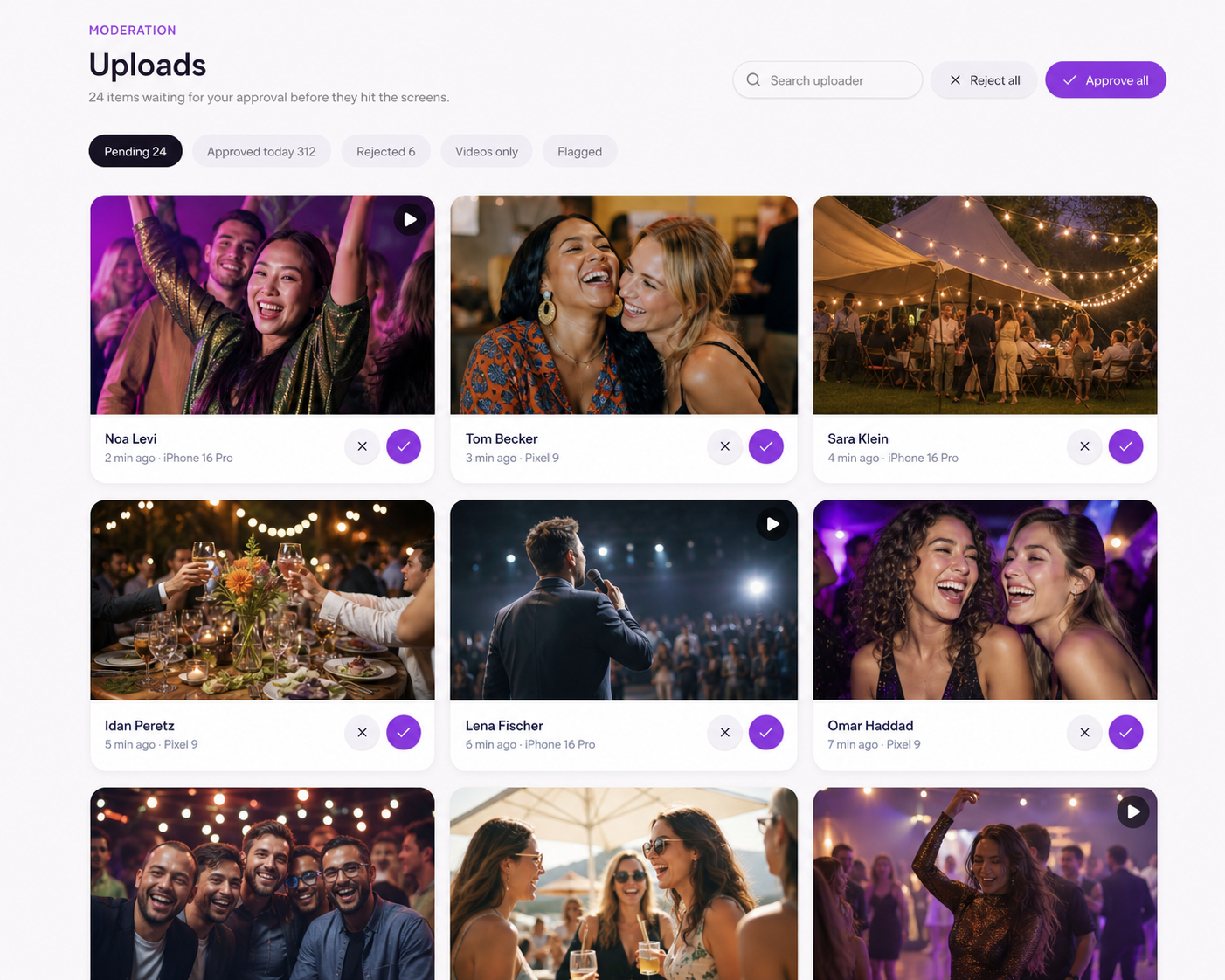
Happic moderation dashboard showing event uploads ready for approval
Real-time moderation queue

Central event management

Everyone joins in.
Your team stays in control.

See incoming uploads, moderate content with your team, follow participation, and control every event screen without switching tools.

Explore Happic with our team →